
Download ExtractNow – Free Archive Extractor for Windows, Mac, Android & iOS
ExtractNow is a lightweight, secure, and fast archive extraction tool designed for users who want a hassle-free way to open and extract files from ZIP, RAR, 7Z, ISO, and other common archive formats. With its intuitive drag-and-drop interface, this software makes managing compressed files simple—whether you're a beginner or a power user. No complex settings, no steep learning curve.
Just drop your archive onto the ExtractNow window, and it extracts everything instantly. Ideal for downloading software, organizing backups, or opening compressed documents, ExtractNow delivers a seamless experience across Windows, Mac, Android, and iOS platforms. The app supports recursive extraction, system tray integration, and customizable output folders, making it a must-have utility for daily file management.
Key Features of ExtractNow – Why It Stands Out
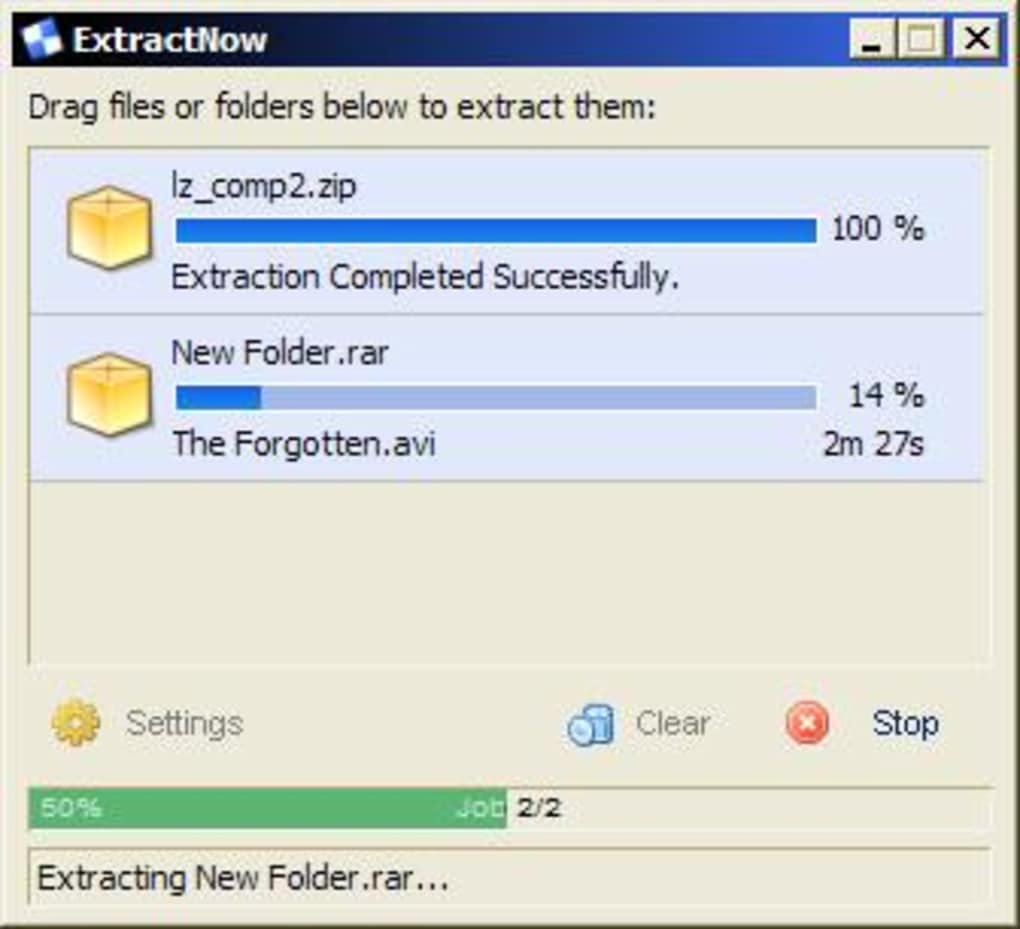
ExtractNow shines with a clean, minimalistic design that prioritizes speed and usability. One of its standout features is the drag-and-drop functionality, which allows users to simply drag an archive file or folder directly from Windows Explorer (or Finder on Mac) into the ExtractNow window. The software instantly recognizes the file type and begins extraction without requiring any manual configuration. This makes it perfect for users who frequently handle compressed files but don’t want to deal with complex software interfaces.
Support for over 15 archive formats—including ZIP, RAR, 7Z, ISO, BIN, IMG, IMA, IMZ, ACE, JAR, GZ, LZH, LHA, and SIT—ensures compatibility with nearly every compressed file you’ll encounter. Whether you’re unpacking software installers, downloading project files, or accessing archived media, ExtractNow handles them all with ease. The tool also includes a recursive search feature, meaning you can drop an entire folder containing multiple archives, and it will automatically detect and extract all supported files in one go.
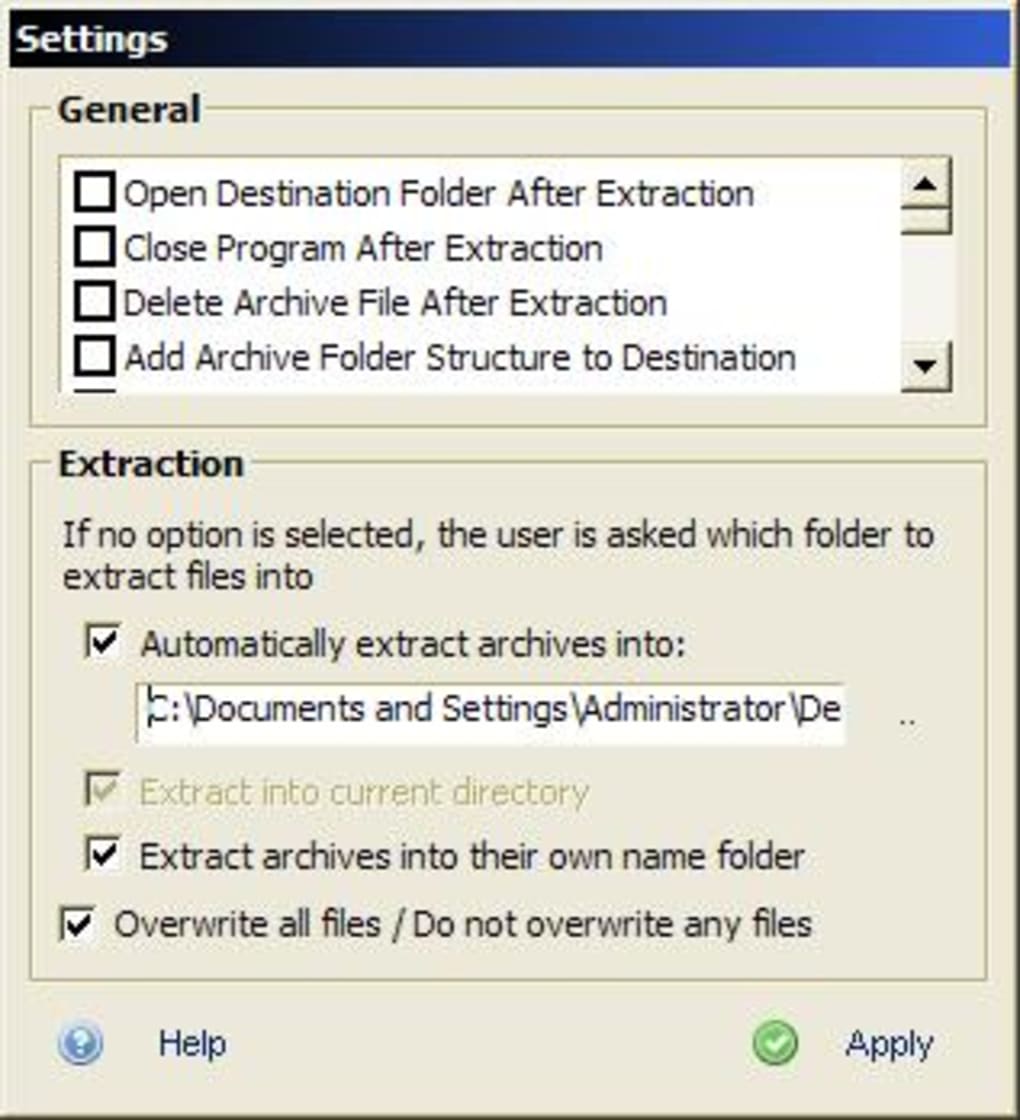
For advanced users, ExtractNow offers customization options such as choosing the extraction destination—current directory, a named folder, or a favorite folder. You can also set the program to delete the original archive after extraction or close automatically once complete. The system tray icon allows quick access, and the “Always on Top” feature ensures the window stays visible during multitasking. With built-in file associations, ExtractNow becomes your default extractor for all supported formats, streamlining your workflow across all devices.
Installation & Usage: Simple Steps for All Users
Getting started with ExtractNow is incredibly straightforward. For Windows users, download the installer from the official website. The setup is quick and lightweight—no lengthy installation process.
The installer uses NSIS (Nullsoft Scriptable Install System), which ensures compatibility even with older systems like Windows 95. Once installed, ExtractNow runs in the background and integrates seamlessly with Windows Explorer. You’ll notice new context menu options when you right-click on archive files, allowing you to extract them with a single click.
On Mac, the process is equally simple. Download the .dmg file, open it, and drag the ExtractNow app into your Applications folder. After installation, you can launch it from the Dock or Spotlight. The app automatically registers file associations for all supported formats, so double-clicking any ZIP or RAR file will open it in ExtractNow by default.
For mobile users, ExtractNow is available on both Android and iOS. The mobile version offers a touch-friendly interface with drag-and-drop gestures (on supported devices) and supports the same range of archive types. You can extract files directly from cloud storage apps like Google Drive or Dropbox, making it a powerful tool for on-the-go file management. The app runs efficiently on smartphones and tablets, with minimal battery drain and no performance lag.
Usage is intuitive: just open ExtractNow, drag your archive into the window, and choose your extraction preferences. You can select the output folder, enable auto-delete, or keep the program open. The real-time progress bar and status notifications keep you informed throughout the process. Even large archives are handled smoothly, thanks to optimized write performance and efficient memory management.
Pros and Cons: Is ExtractNow Right for You?
Pros:
- Lightweight & Fast – ExtractNow uses minimal system resources, ensuring smooth performance even on older machines.
- Drag-and-Drop Simplicity – No need to navigate menus. Just drag files into the app and extract instantly.
- Wide Format Support – Handles ZIP, RAR, 7Z, ISO, ACE, JAR, GZ, and many more—no need for multiple tools.
- Recursive Extraction – Automatically scans nested folders and extracts all archives in one session.
- Customizable Options – Choose output location, auto-delete, auto-close, and system tray visibility.
- Cross-Platform – Available for Windows, Mac, Android, and iOS—consistent experience across devices.
- Secure & Free – No ads, no malware, and completely free to download and use.
Cons:
- No Built-in Compression – ExtractNow only extracts files; you’ll need another tool to create archives.
- Limited Advanced Features – No password protection or encryption support in the free version.
- Basic UI – While clean, the interface lacks advanced customization or themes.
- Mobile Version Has Limited Features – Some advanced options are not available on mobile.
- No Command-Line Support – Not ideal for automation scripts or developers.
Frequently Asked Questions (FAQ)
What archive formats does ExtractNow support?
ExtractNow supports a wide range of formats including ZIP, RAR, 7Z, ISO, BIN, IMG, IMA, IMZ, ACE, JAR, GZ, LZH, LHA, and SIT. This ensures compatibility with most compressed files you’ll encounter in daily use.
Is ExtractNow free to download and use?
Yes, ExtractNow is completely free to download and use. There are no hidden fees, subscriptions, or ads. It’s a secure, no-cost solution for managing archive files.
Can I use ExtractNow on my Android or iOS device?
Yes, ExtractNow is available for both Android and iOS. The mobile app provides a touch-optimized interface and supports all major archive types, making it ideal for on-the-go file extraction.
Does ExtractNow integrate with Windows Explorer?
Yes, ExtractNow sets file associations for all supported archive types. You can right-click any archive file and choose “Extract with ExtractNow” directly from the context menu.
How do I update ExtractNow?
The app includes an automatic update checker. When a new version is available, you’ll receive a notification. Simply download the latest installer from the official website and run it to update your software.
Final Verdict: A Must-Have Tool for Archive Management
If you're tired of dealing with bloated archive software or struggling with complex extraction tools, ExtractNow is the perfect solution. Its combination of speed, simplicity, and cross-platform support makes it a standout choice for both casual users and professionals. Whether you're extracting software packages, organizing backups, or opening compressed documents, ExtractNow delivers a secure, reliable, and efficient experience.
While it doesn’t offer compression or advanced encryption, its core strength lies in extraction—something it does exceptionally well. With regular updates, improved drag-and-drop functionality, and support for over a dozen formats, it’s clear that the developers are committed to maintaining a high-quality tool.
Don’t waste time with complicated software. Download ExtractNow today and experience the fastest, easiest way to extract your files—on Windows, Mac, Android, or iOS. It’s free, secure, and built for real-world use.
Ready to simplify your file management? Click below to download ExtractNow now!







